Project Overview
The Problem & Solution
Many car owners neglect maintenance because navigating the overwhelming sea of online resources — and trusting the shops they find there — feels like more trouble than it's worth. The result is deferred care, unexpected breakdowns, and unnecessary expense.
Initial Direction
Build an app for car enthusiasts to connect and share knowledge within their community.
After Research — Pivoted To
Build an app for the average car owner to track maintenance and find reliable, affordable service nearby.
"WheelWise is your trusted companion to stay ahead of car maintenance tasks without the stress and uncertainty of not knowing what you don't know."
01
Research
User interviews, affinity diagram, revised insight
02
Define
Persona, problem statement, value proposition
03
Ideate
I like / I wish / What if, feature matrix, user flows
04
Prototype
Sketch → lo-fi → mid-fi → hi-fi in Figma
05
Test
5 users · 3 tasks · 100% success rate
User Research
What We Learned — and What Surprised Us
Interviews targeted a mix of car enthusiasts and everyday owners. We expected brand loyalty and community to be the dominant themes. Instead, a clearer and more universal need emerged: reducing the stress and confusion of car maintenance.
Research Goals
Investigate whether individuals associate their type of car with their personal identity and how this influences their self-perception and social image.
Investigate the factors influencing maintenance behavior — personal preferences, perceived importance of car care, and trust in resources.
Explore the role cars play in people’s lives and how an app could enhance that through shared relationships and community.
Key Takeaways
Most owners use their cars daily for routine tasks — maintenance is about reliability, not passion
People prefer DIY maintenance when feasible, primarily to save money — not out of enthusiasm
Camaraderie around cars is general, not brand-specific — the enthusiast community angle was too narrow
Many owners distrust single sources for car information and feel compelled to cross-reference multiple sites
Routine maintenance is widely understood as important — people want help staying on schedule, not education
My Contribution
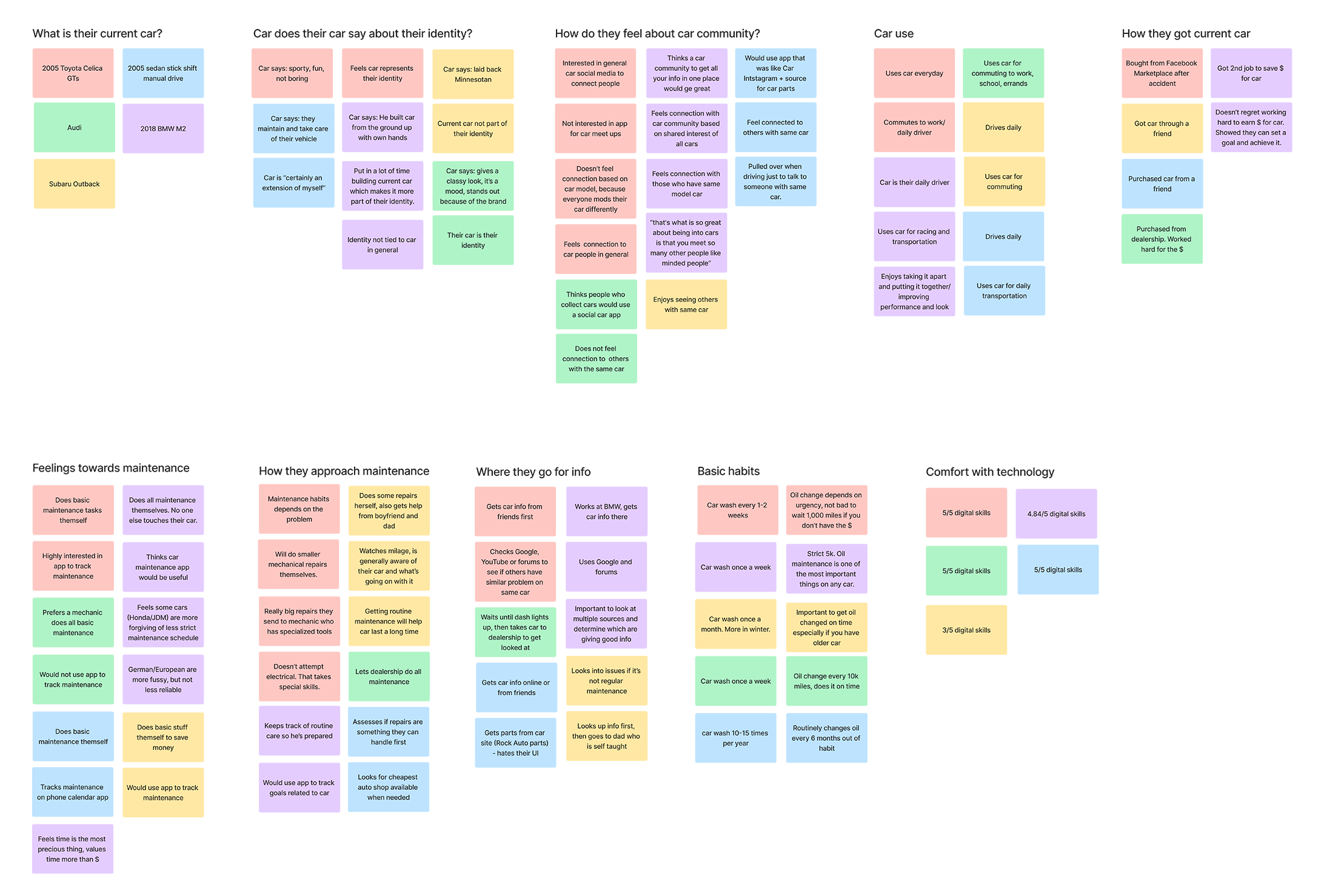
I created the sticky notes for the affinity diagram from interview transcripts, then worked with the team to review categories and surface key themes.
Affinity Diagram
Affinity diagram — interview insights grouped into maintenance habits, preferred resources, approach to repairs, and feelings about car care
Definition & Ideation
From Insight to Direction
User Persona
After interviews and affinity mapping, the team aligned on a user: Michael, a 26-year-old photographer who depends on his car for work. He does basic maintenance himself to save money but doesn't always have time for larger jobs. He needs to know what's due and when — without hunting across multiple sources to figure it out.
Michael is a 26-year-old photographer who depends on his car for work. He does basic maintenance himself to save money but doesn't always have time for larger jobs. He needs to know what's due and when — without hunting across multiple sources to figure it out.
Goals
- Take care of basic maintenance before causes problems
- Have reliable transportation for work
- Stay informed about upcoming maintenance tasks
Needs & Wants
- Trustworthy people and shops for his car
- Save money on car repairs and maintenance
- Learn basics of car care
Pain Points
- Having to check multiple sights/forums for car solutions
- Expensive prices of auto shop services
- Lack of reliable information on specific car parts and maintenance
Potential Solutions
- Maintenance notifications and reminders
- Local shop discounts with GPS
- Vehicle profile and service history log
"Car owners feel strongly that routine maintenance is key to the long-term health of their vehicle. The average car user wants help tracking upcoming tasks and saving money on repairs."
Feature Prioritization
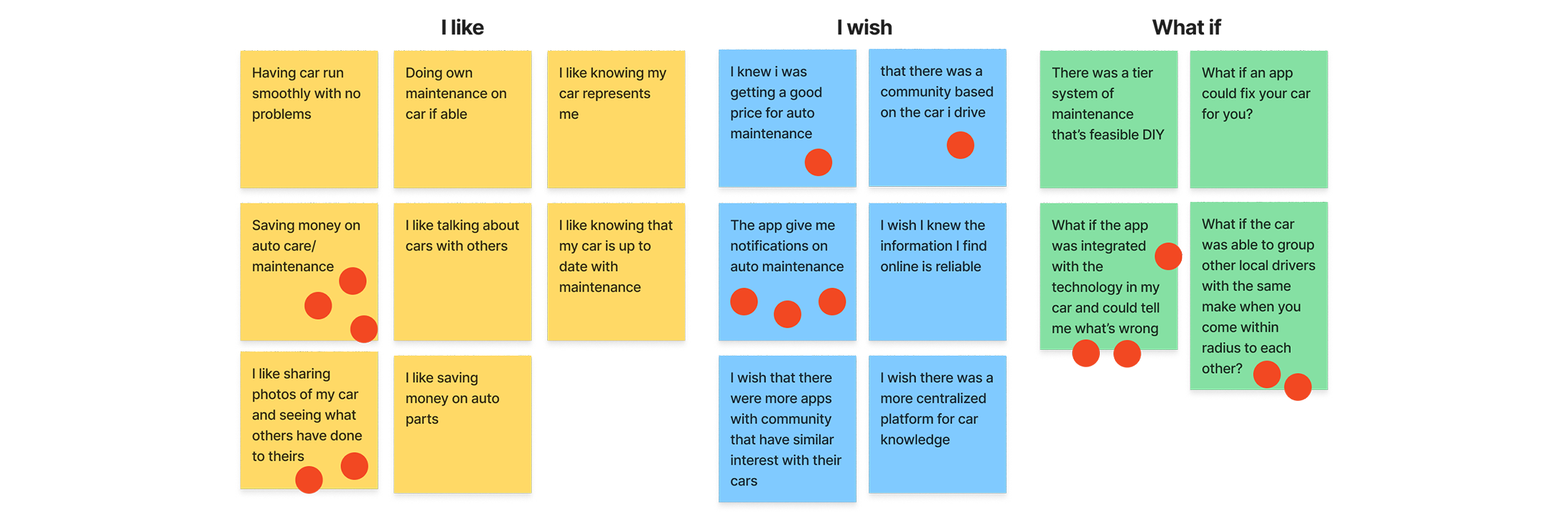
An "I like / I wish / What if" exercise followed by two rounds of dot voting drove the final feature decisions — and confirmed the pivot away from community features toward maintenance tracking and local deals.
Dot voting results — maintenance tracking and local deals prioritized over community and identity features
Prioritized Features
Maintenance tracking with notifications, local shop discounts with GPS, vehicle profile and service history log
Deprioritized (Future)
Community forum, car enthusiast social features, CarFax integration, OBD diagnostic connection
Prototyping
Sketch to Screen
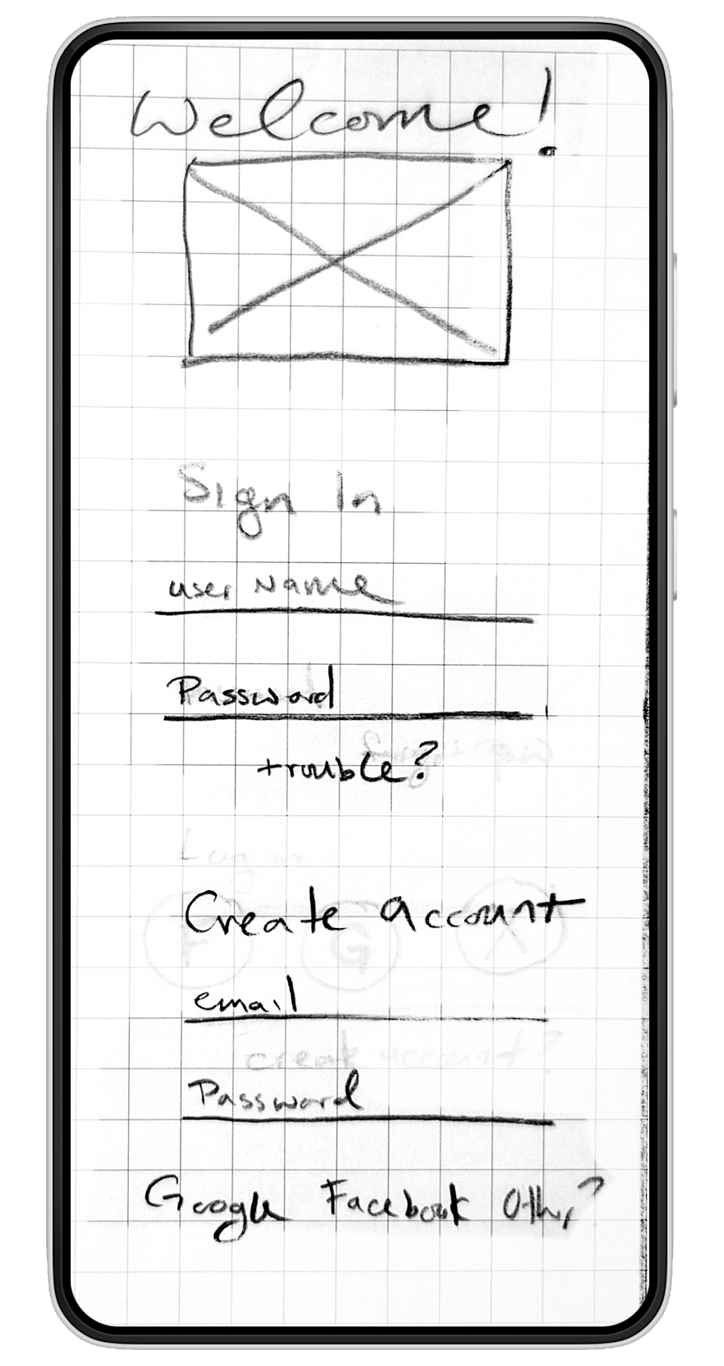
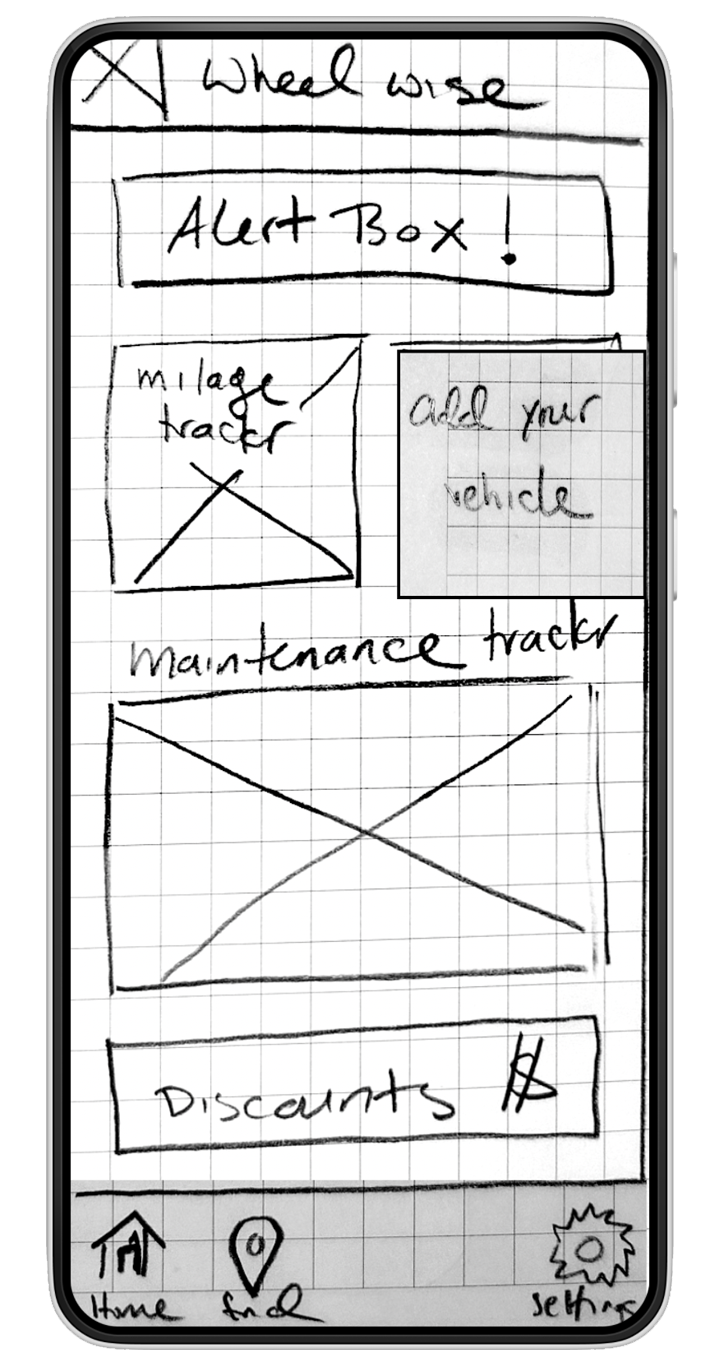
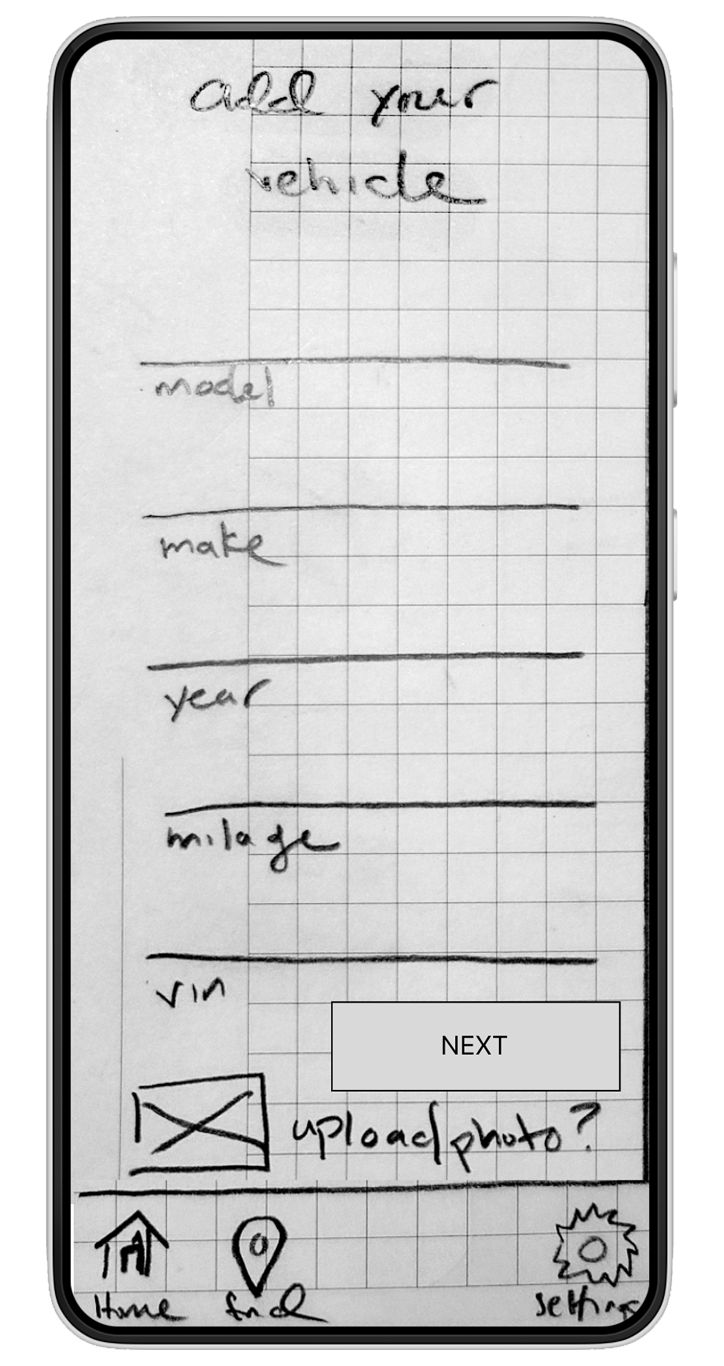
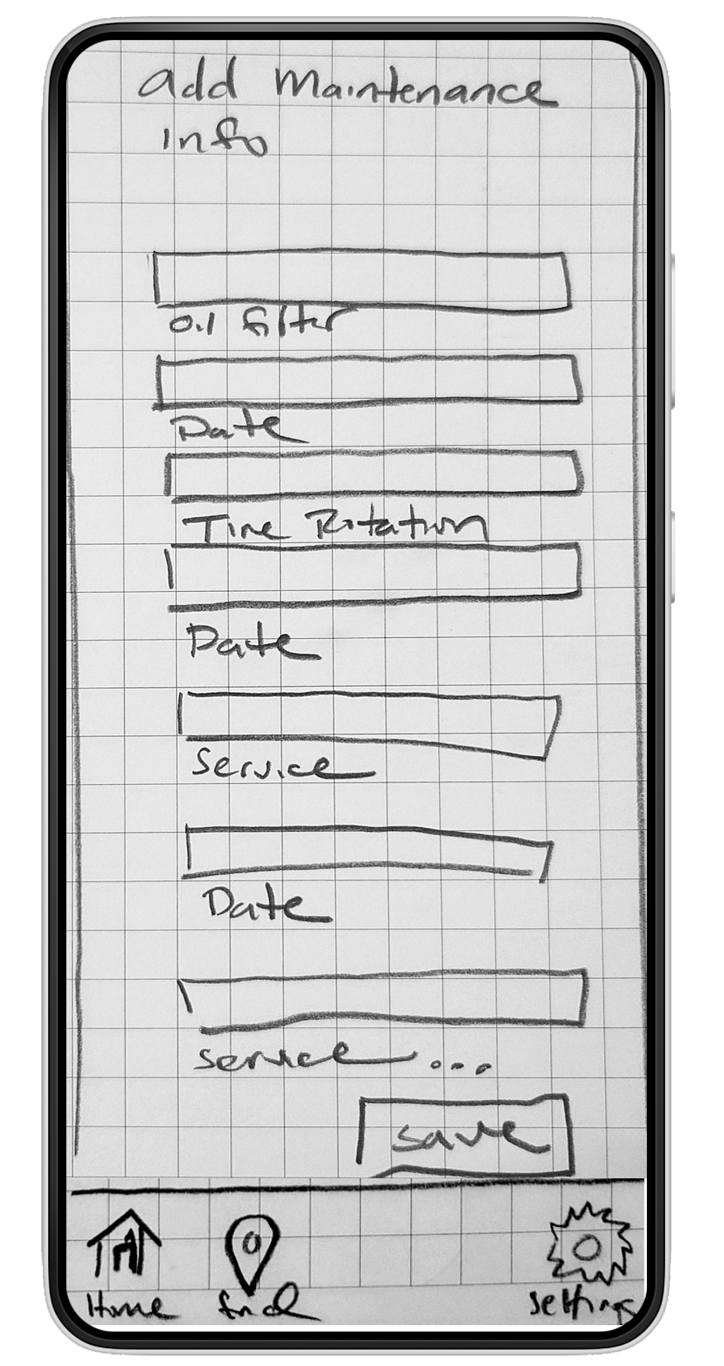
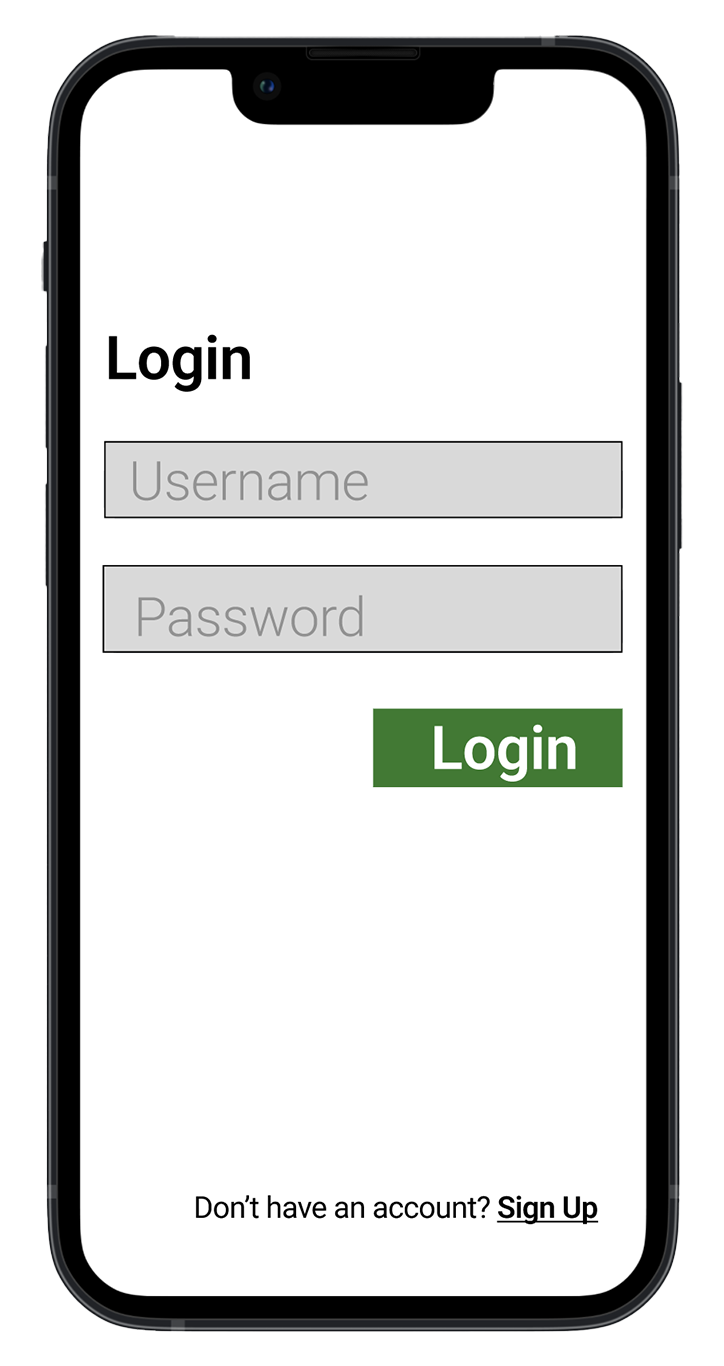
Each team member built and tested their own paper prototype. I then combined the most positively received features into a revised user flow and led the mid-fidelity wireframes. I also created the final hi-fidelity prototype in Figma.
My Contribution
Consolidated paper prototype feedback into revised user flow. Built mid-fi wireframes with a teammate. Created the complete hi-fi prototype in Figma, incorporating all iteration feedback.
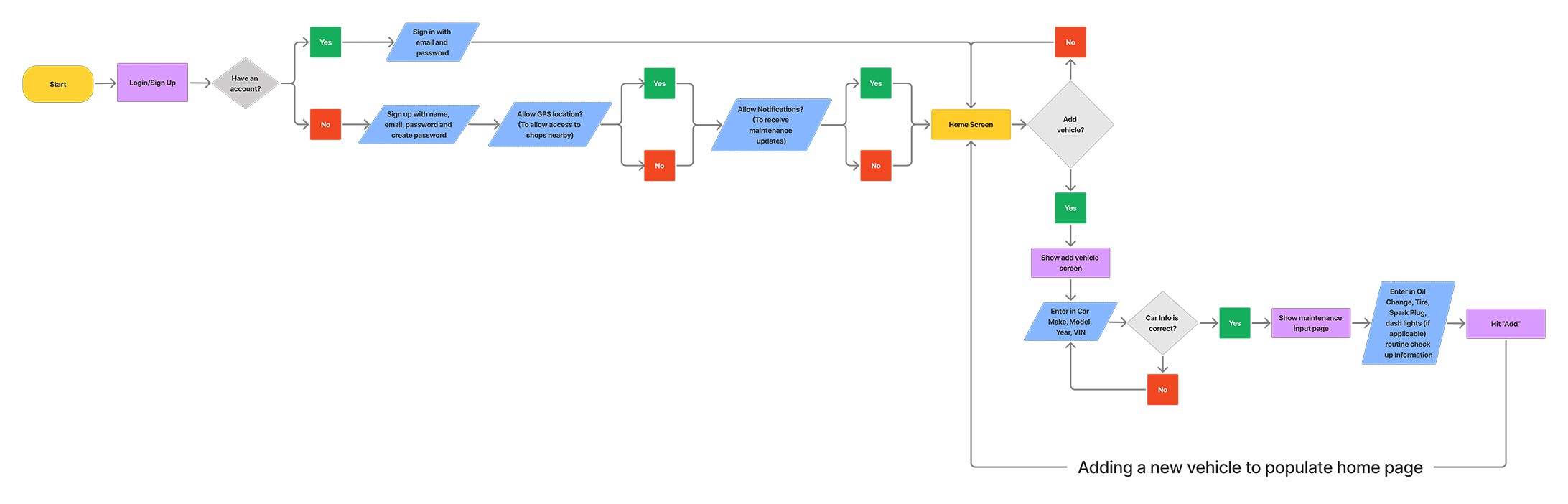
Initial User Flow
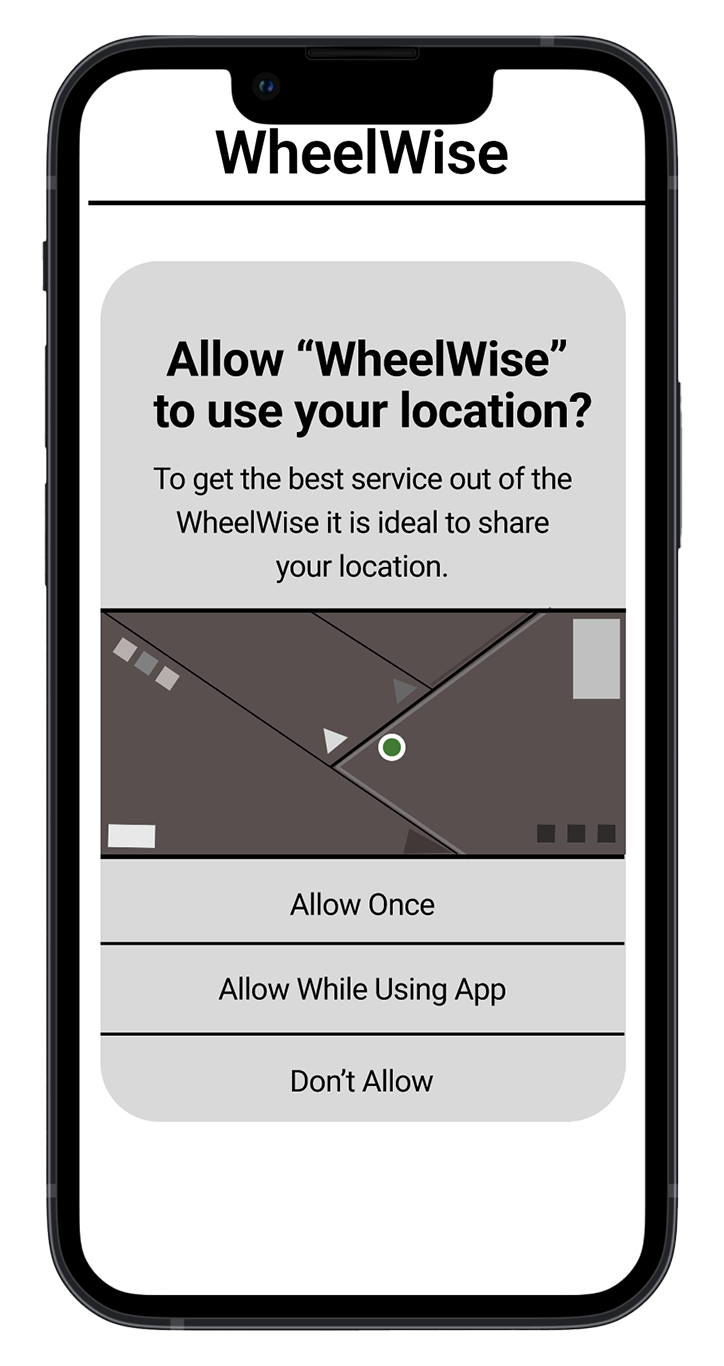
Our initial flow began with a login or sign up choice, prompted users for GPS and notification permissions, then guided them to the home screen to add vehicle and maintenance details.
Sketch Wireframes
Revised User Flow
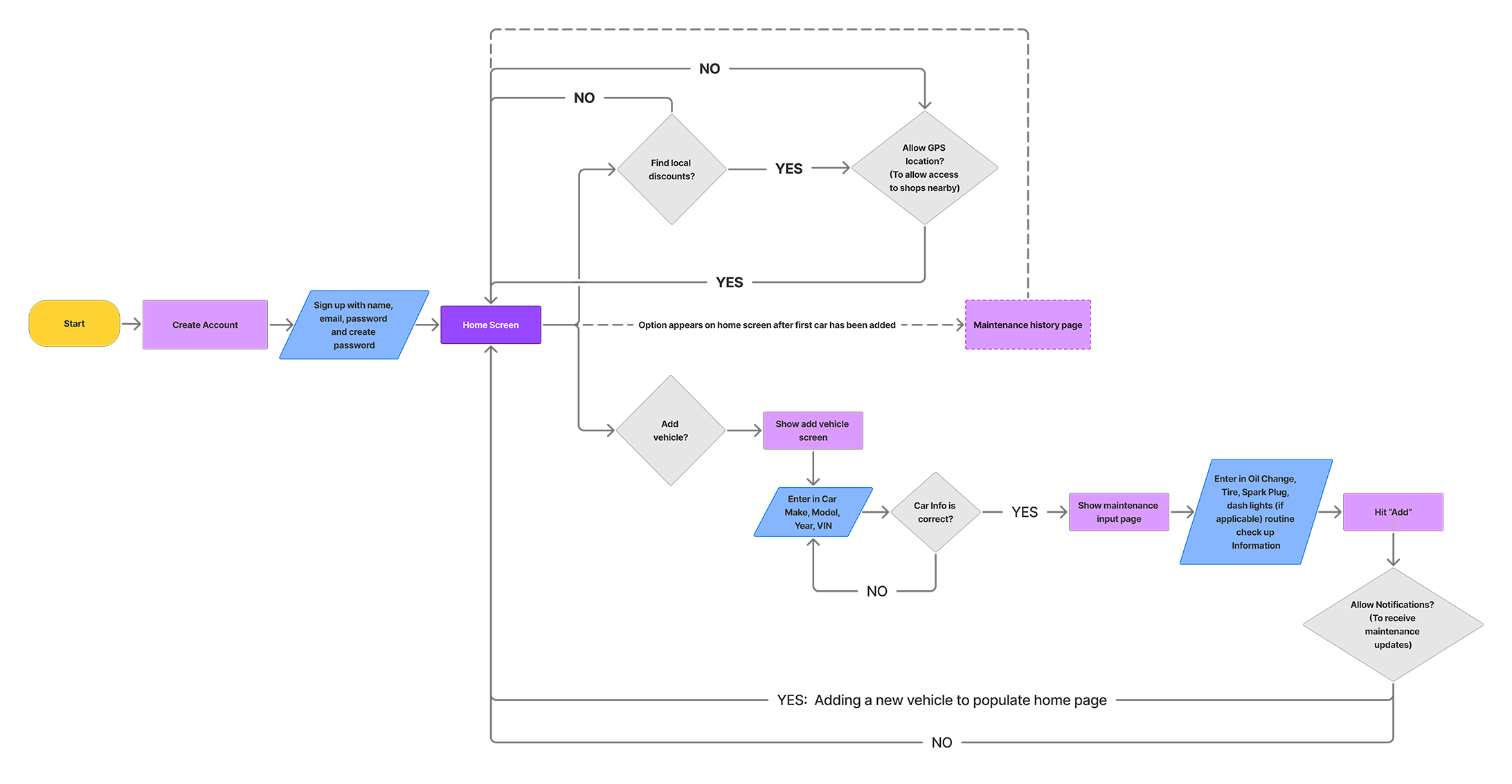
After consolidating paper prototype feedback, I revised the flow to defer permission requests until contextually relevant — and added local deals and a maintenance snapshot to the home screen based on the most positively received features.
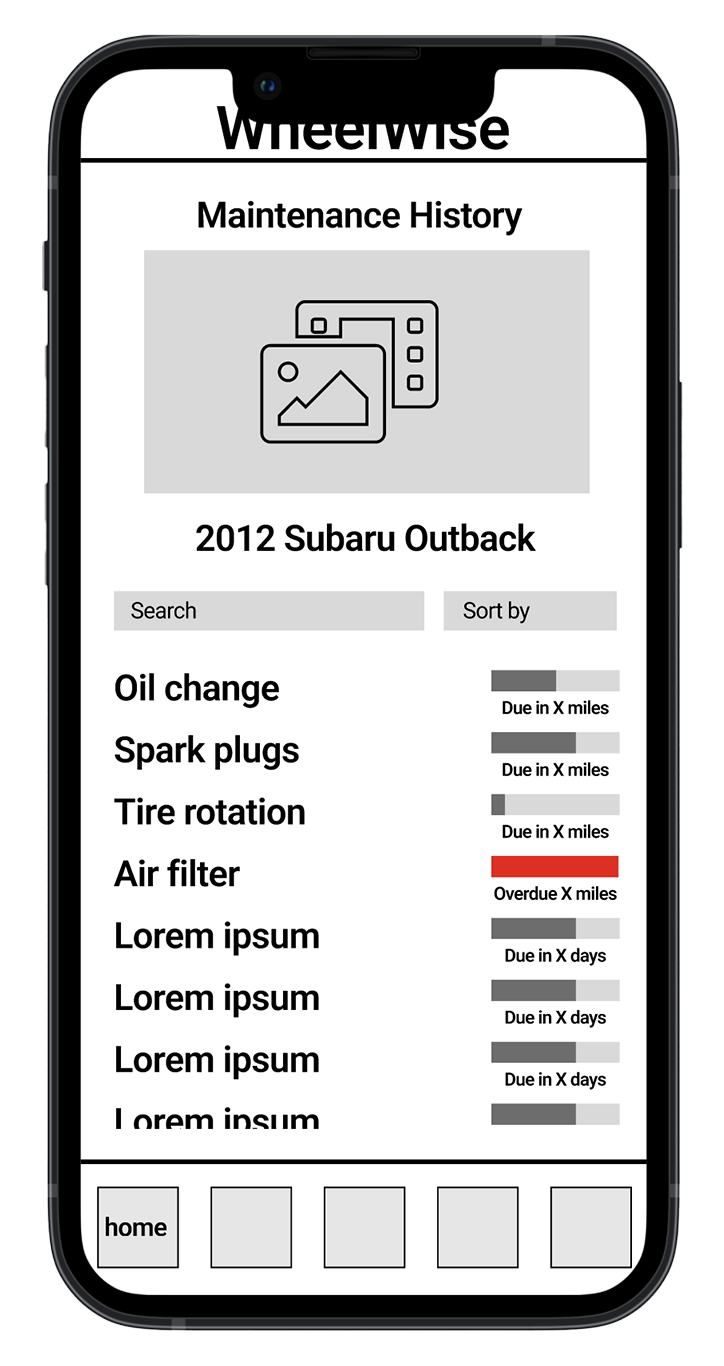
Mid-Fidelity Wireframes
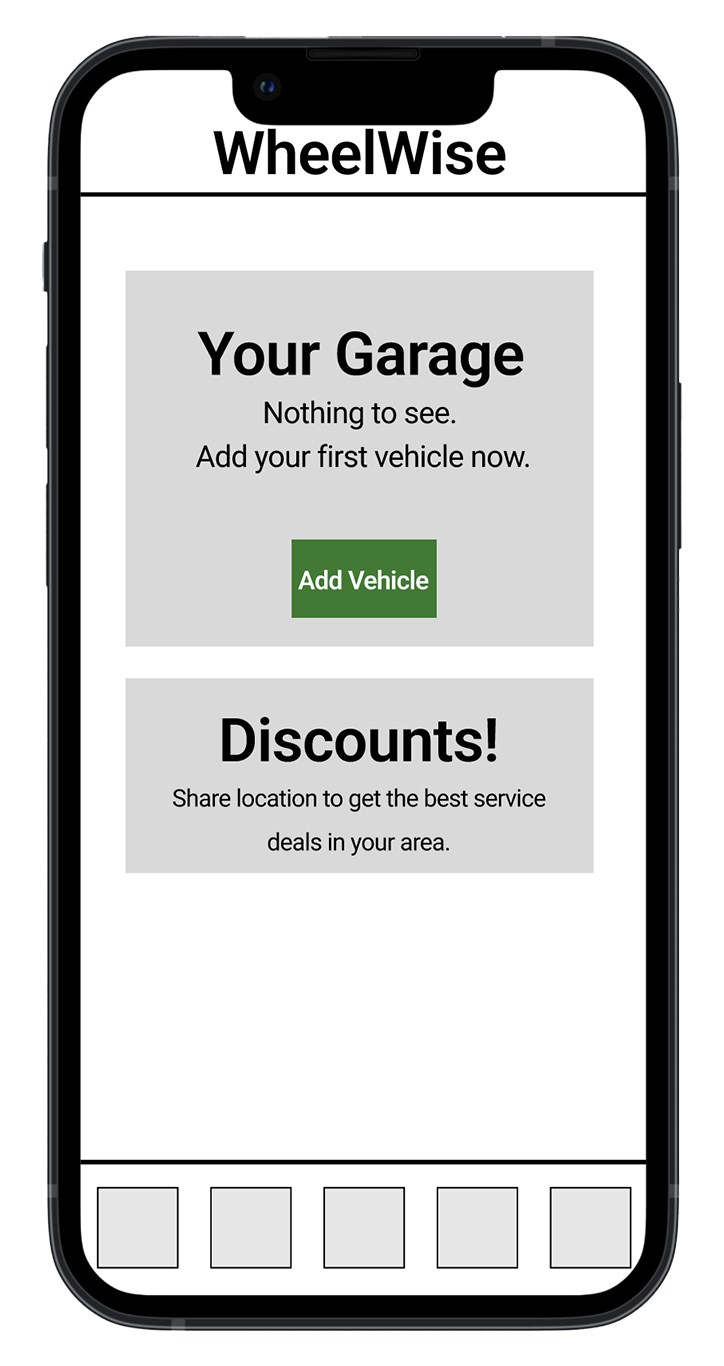
User flow revisions moved permission requests further into the onboarding process — giving users context before asking for GPS or notifications. Local deals feature was fleshed out as a core home screen element.
Onboarding
Permissions deferred until relevant
Home Screen
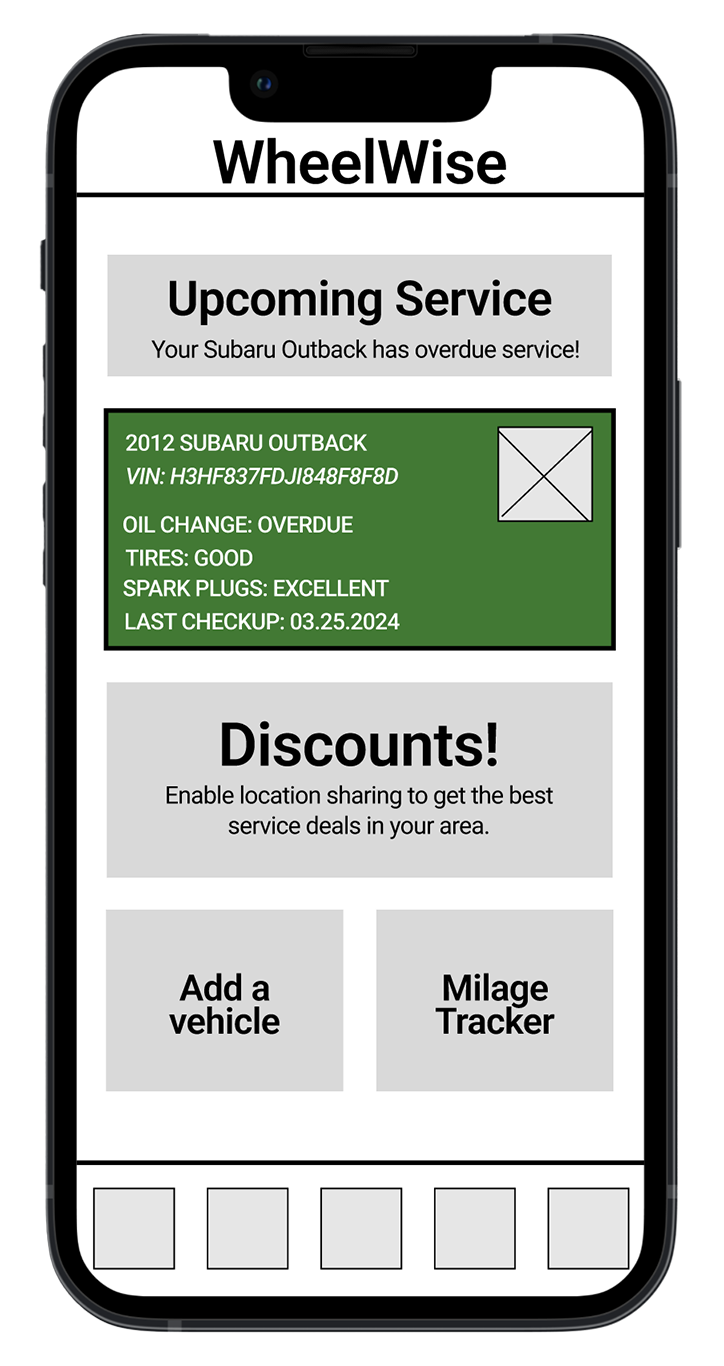
Maintenance snapshot + local deals
Add Vehicle
Car info + maintenance history
Maintenance Detail
Car info + maintenance history
Local Deals
GPS-enabled shop finder
User Testing
Five Users, Three Tasks, 100% Success
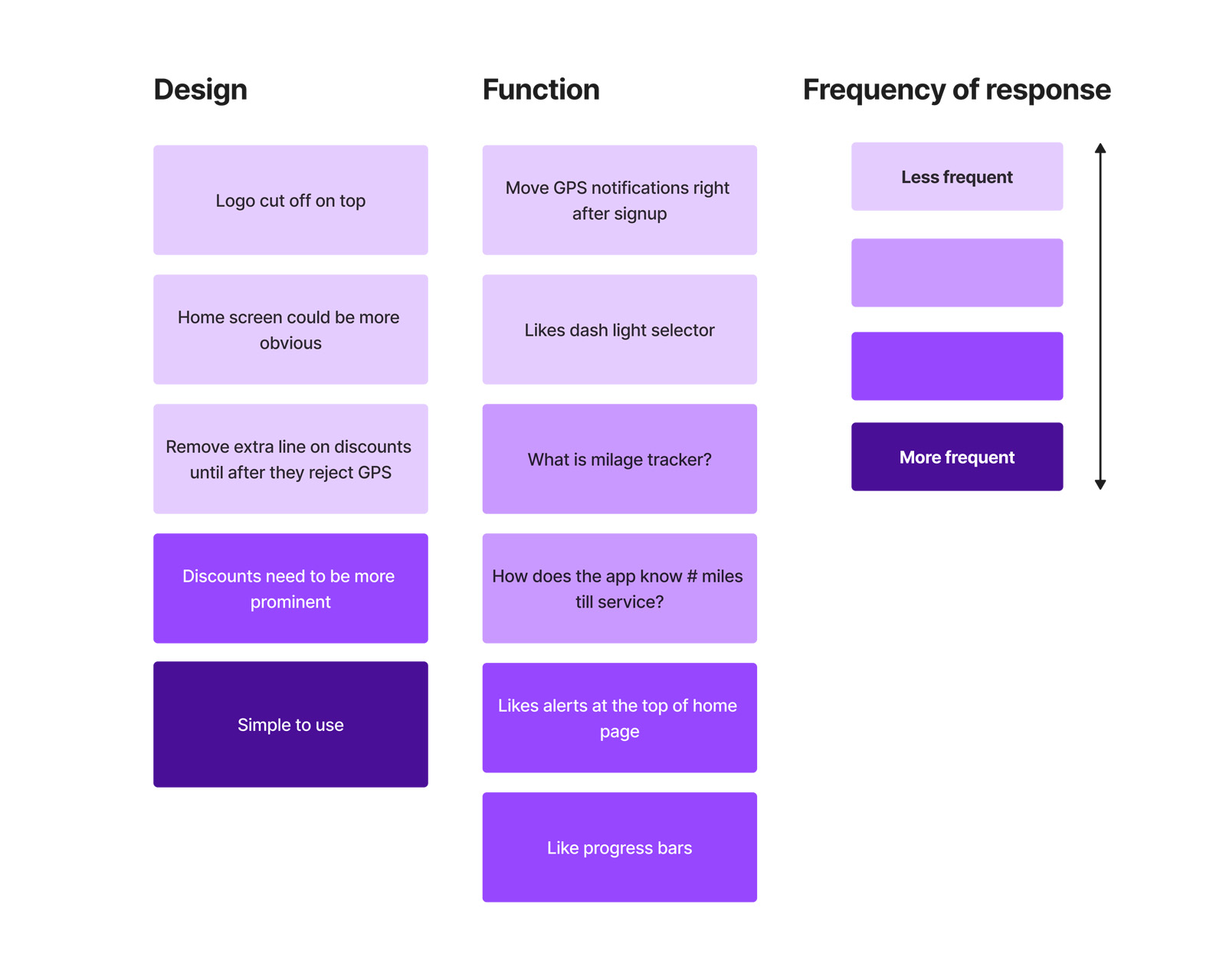
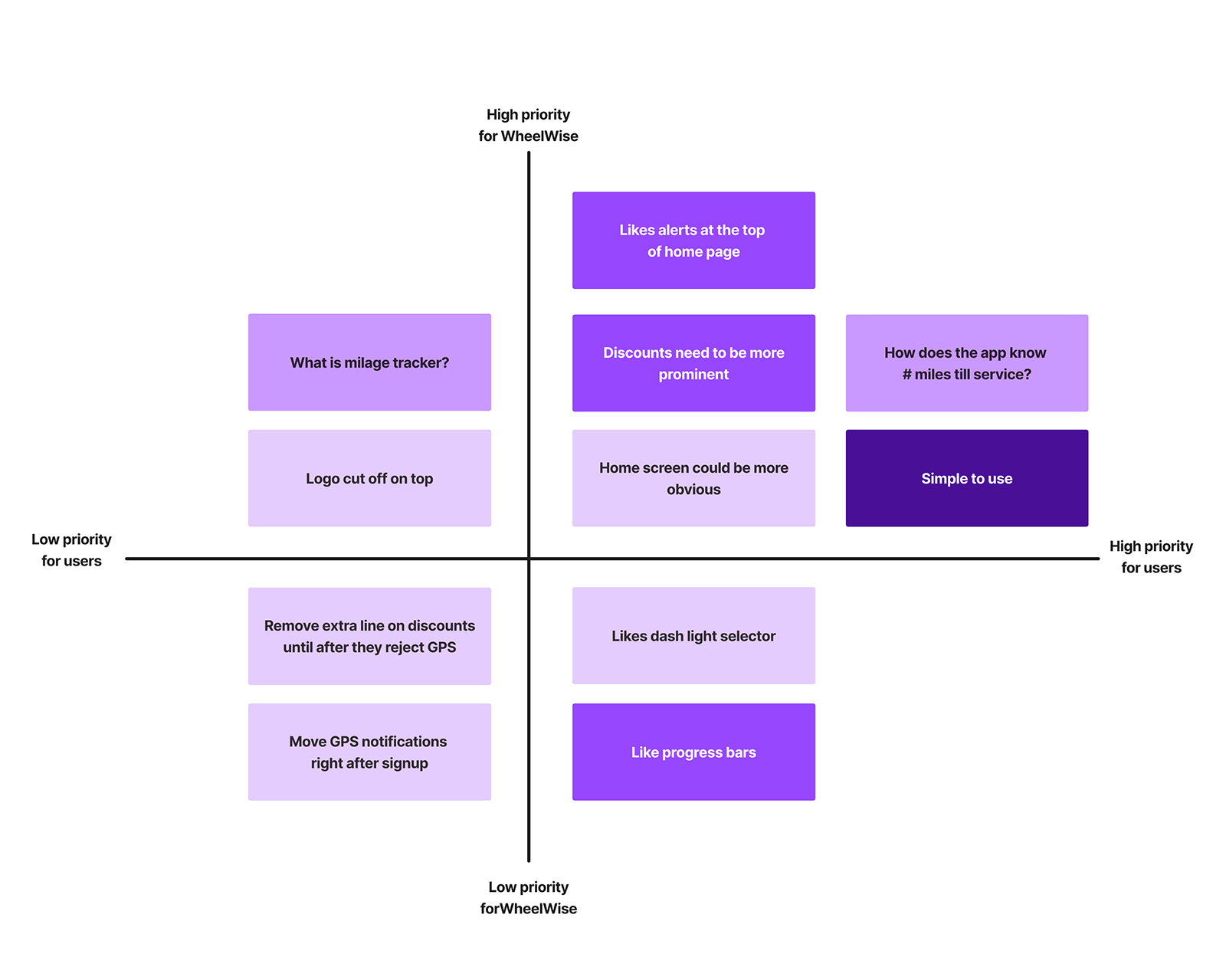
We conducted five moderated user tests with three defined tasks. All tasks were completed successfully. Feedback was captured on sticky notes, organized by theme, and run through a frequency chart and 2×2 prioritization matrix to shape the hi-fi iteration.
100%
Task 1 — Sign Up
4-step flow. All 5 testers completed without assistance.
5/5 success
100%
Task 2 — Add Vehicle
5-step flow including car info and maintenance details.
5/5 success
100%
Task 3 — Enable GPS
5-step flow to activate location sharing for local deals.
5/5 success
Frequency chart — feedback grouped and ranked by how often each theme appeared
2×2 priority matrix — discounts visibility and home screen clarity ranked highest for iteration
Key Iterations from Testing
Added color and visual hierarchy to the home screen to surface notifications and GPS prompts more clearly
Increased visibility of local discounts — originally too subtle relative to its importance as a feature
Moved permission requests later in onboarding to provide context before asking users to share data
[ Before — Home Screen ]
Before Testing
Flat visual hierarchy, prompts easy to miss
[ After — Home Screen ]
After Iteration
Color and context added to key CTAs
[ Hi-Fi — Local Deals ]
Local Deals — Hi-Fi
Prominent placement, GPS trigger on interaction
Hi-Fidelity Prototype
Final Design
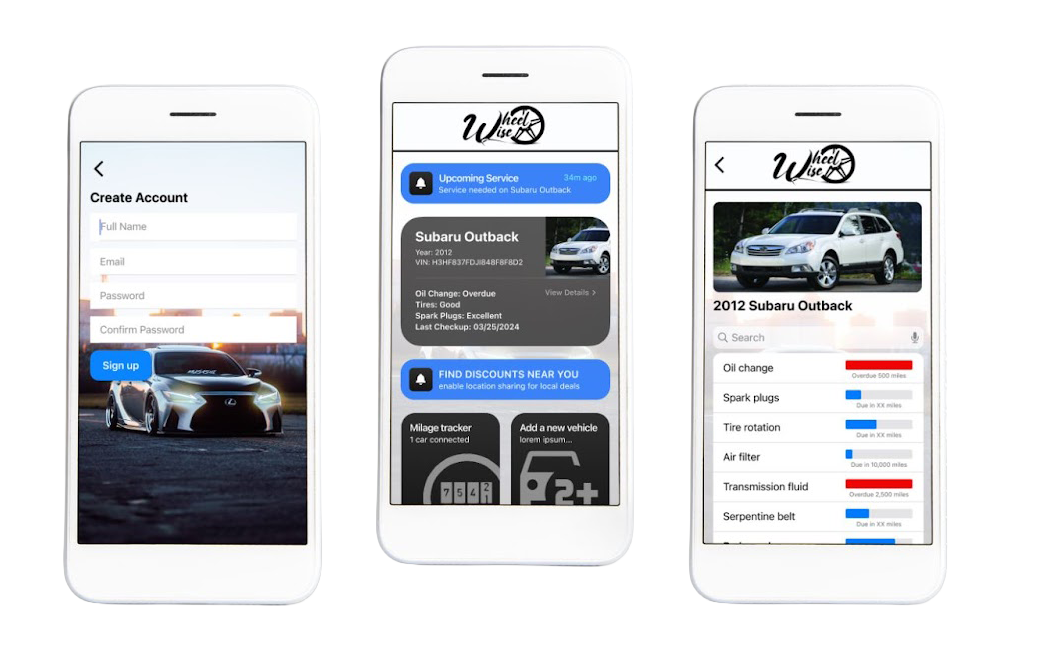
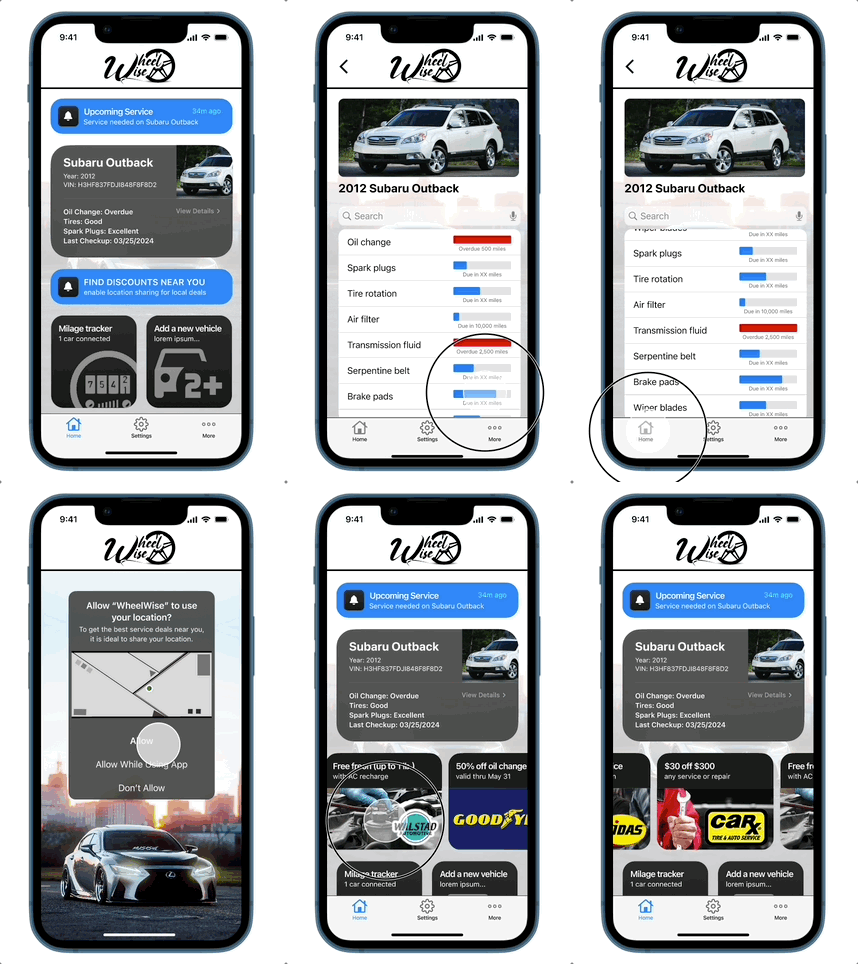
I built the complete hi-fidelity prototype in Figma, incorporating all testing feedback. The team's logo and hero car image were provided by a teammate; all other screens, interactions, and UI design are my own work.
Hi-fidelity prototype — sign-up flow, home screen with maintenance snapshot, vehicle detail, and local deals
[ Vehicle Detail ]
Vehicle Detail
[ Local Deals ]
Local Deals
Final Thoughts & Next Steps
What Worked. What's Next.
The research-driven pivot was the defining moment of this project — it made the app more useful and more broadly relevant. The streamlined notification-based approach and clean interface achieved exactly what we set out to do for the average car owner.
01
Community Layer
Add a community section for DIY tips and camaraderie — the enthusiast angle we set aside, revisited with better scope.
02
Miles Tracker & Ratings
Complete the mileage tracker and add a shop rating system so local deal quality can be validated by the community.
03
Integrations
Connect to CarFax for vehicle history and explore OBD diagnostic tool integration for real-time maintenance data.